
.png)
Description
Download Wondercraft – Free AI Podcast Creator for Text to Audio
Introduction: Why AI‑Powered Audio is a Game‑Changer in 2025
In an era where attention spans are measured in seconds and audio consumption continues to outpace text, creators are scrambling for tools that let them produce high‑quality spoken content without the overhead of a traditional studio. Wondercraft arrives at this exact intersection, offering a cloud‑based, AI‑driven platform that turns plain text into polished podcasts, ads, and audiobooks in just a few clicks. The service promises multilingual support, collaborative editing, and secure cloud processing—features that were once the exclusive domain of pricey enterprise solutions. For marketers looking to launch audio campaigns across borders, educators seeking to deliver lessons in multiple languages, and indie podcasters who lack a recording budget, Wondercraft provides a compelling, cost‑effective alternative. This review breaks down every aspect of the product, from core capabilities and installation steps to real‑world pros, cons, and frequently asked questions, helping you decide whether the tool fits your workflow and budget.
Overview: Turning Scripts into Audio Gold
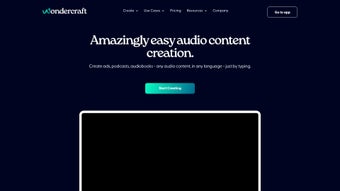
Wondercraft is a web‑based AI audio editor that promises to change the way creators think about spoken content. In a world where podcasts, audio ads, and audiobooks dominate the attention economy, the ability to generate high‑quality voice tracks from plain text is a game‑changer. Wondercraft’s engine supports more than 30 languages, which means a single script can instantly become a multilingual series of episodes, ads, or learning modules. The platform is built for both novices who need a “click‑and‑listen” experience and seasoned producers who appreciate collaborative workflows. From selecting a synthetic host voice to layering background music, the tool guides users through the entire production pipeline without demanding a steep learning curve or expensive studio time. While it does not yet handle video or provide deep waveform editing, its focus on speed and simplicity makes it an attractive option for marketers, educators, and content creators who need to publish audio quickly and securely. By automating the traditionally labor‑intensive steps of recording, editing, and mastering, Wondercraft cuts production time by up to 80 %, allowing teams to focus on storytelling rather than technical minutiae.
Features & Customization Options That Empower Creators
- 30+ Language Support: Generate native‑sounding speech in languages ranging from English and Spanish to Mandarin and Arabic.
- Multiple Host Voices: Choose from a library of AI‑powered narrators with distinct tones, genders, and accents.
- Background Music Library: Add royalty‑free tracks that automatically adapt to the pacing of the script.
- Collaborative Workspace: Invite teammates, leave comments, and edit scripts in real time.
- One‑Click Export: Download MP3 or WAV files instantly, ready for publishing on any platform.
- Secure Cloud Processing: All audio is rendered on encrypted servers, ensuring privacy for sensitive content.
- Version History: Revert to previous drafts or compare voice variations side‑by‑side.
- API Access (Beta): Integrate Wondercraft’s engine into custom apps or workflow automation tools.
The feature set is deliberately streamlined. Instead of overwhelming users with a dense set of filters, Wondercraft offers intuitive controls that let you focus on the narrative. For instance, the “Host Match” tool analyses the script’s tone and suggests the most appropriate voice, while the “Music Sync” feature automatically adjusts tempo to fit sentence length, eliminating the need for manual beat‑matching. The collaborative workspace functions similarly to Google Docs, with real‑time editing, comment threads, and permission levels (viewer, editor, admin). This makes it especially valuable for agencies that need to iterate on ad copy with clients or for teachers preparing multilingual lessons with fellow educators. Although the platform lacks a traditional multitrack editor, the built‑in preview window provides waveform visualization and volume sliders for fine‑tuning, striking a balance between simplicity and control.
Installation, Compatibility & Step‑by‑Step Usage Guide
Wondercraft is a fully cloud‑based service, which means you don’t need to install any software locally. The application runs in modern browsers (Chrome, Edge, Firefox, Safari) on Windows, macOS, Linux, as well as mobile browsers on Android and iOS. Because it operates on a secure HTTPS connection, you can access your projects from any device with an internet connection, making remote collaboration effortless.
Getting Started in Minutes
1. Create an Account: Visit wondercraft.ai and sign up using an email address or single‑sign‑on (Google/Apple). A free tier provides up to 30 minutes of audio per month, while paid plans unlock unlimited minutes and premium voices.
2. Start a New Project: Click “New Podcast” and paste or type your script. The AI will automatically detect language and suggest appropriate hosts.
3. Select Voice & Music: Choose a narrator from the dropdown, then browse the background music library. You can preview each combination with a single click.
4. Adjust Settings: Fine‑tune speech speed, pitch, and volume. Use the “Advanced” panel for subtle effects like breathing pauses or emphasis on key phrases.
5. Collaborate: Invite teammates by email. They can edit the script, change voice selections, or add comments directly on the timeline.
6. Generate Audio: Hit “Render”. The AI processes the request on Wondercraft’s servers, typically delivering the final file in under a minute for a five‑minute script.
7. Export & Publish: Download the MP3/WAV, or copy a shareable link that streams directly from Wondercraft’s CDN.
Best Practices for Consistently High‑Quality Output
While Wondercraft’s AI is powerful, the quality of the final audio still depends on the script’s structure. Write short, declarative sentences for clearer pronunciation, and avoid excessive jargon that may confuse the language model. Adding punctuation such as commas and ellipses guides the AI on where to insert natural pauses. For multilingual projects, keep each language segment in separate blocks to ensure the correct voice is applied. Finally, preview the audio before export; the built‑in waveform lets you spot clipping or volume spikes, which you can adjust using the simple sliders. By following these guidelines, you’ll maximize the naturalness of the synthesized speech and reduce the need for post‑processing.
Pros, Cons, Frequently Asked Questions & Final Verdict
Pros & Cons
- Pros:
- Fast, one‑click conversion from text to audio.
- Supports 30+ languages, ideal for global audiences.
- Collaborative editing reduces back‑and‑forth emails.
- No hardware requirements – works on any browser.
- Secure cloud processing protects proprietary content.
- Version history and API access add flexibility for teams.
- Cons:
- No video import or export capabilities.
- Limited advanced editing (no multitrack waveform editor).
- Free tier restricts total audio minutes per month.
- Premium voices and longer scripts require a paid plan.
- AI may mispronounce rare proper nouns without custom pronunciation support.
Frequently Asked Questions
Can I use Wondercraft for commercial podcasts?
Yes. All paid plans include a commercial‑use license, allowing you to monetize podcasts, ads, and audiobooks created with Wondercraft.
Is there a limit to the length of a script?
The free tier caps at 30 minutes of generated audio per month. Paid plans remove this cap, but individual renders are limited to 2 hours to ensure server stability.
How secure is my data on Wondercraft?
All uploads and generated files are encrypted in transit (HTTPS) and at rest. Wondercraft complies with GDPR and offers optional two‑factor authentication for added account security.
Can I integrate Wondercraft into my existing workflow?
A beta API is available for developers to programmatically submit scripts and retrieve audio files, making it easy to embed Wondercraft into content management systems or marketing automation tools.
Do I need a powerful computer to run Wondercraft?
No. Because processing occurs on Wondercraft’s servers, any device capable of running a modern browser can create high‑quality audio.
Review Summary & Call to Action
Rating: 4.5/5
Wondercraft delivers on its promise of fast, multilingual audio generation while keeping the interface friendly for users of all skill levels. The collaborative workspace and extensive voice library are standout features that differentiate it from basic text‑to‑speech tools. Although the lack of advanced editing and video support may turn off power users, the overall value—especially for marketers, educators, and indie podcasters—is high. For anyone looking to scale audio content without investing in a full studio, Wondercraft is a compelling, secure, and cost‑effective solution.
Ready to turn your written ideas into captivating podcasts? Download Wondercraft today, start a free trial, and experience how AI can streamline your audio production workflow.
Guides & Tutorials for Wondercraft
How to install Wondercraft
- Click the Preview / Download button above.
- Once redirected, accept the terms and click Install.
- Wait for the Wondercraft download to finish on your device.
How to use Wondercraft
This software is primarily used for its core features described above. Open the app after installation to explore its capabilities.
User Reviews for Wondercraft 0
No reviews found




